المدونة

  • How to Install an SSL Certificate and Enable HTTPS: Fixing Mixed Content and TLS Security

    How to Install an SSL Certificate and Enable HTTPS: Fixing Mixed Content and TLS Security

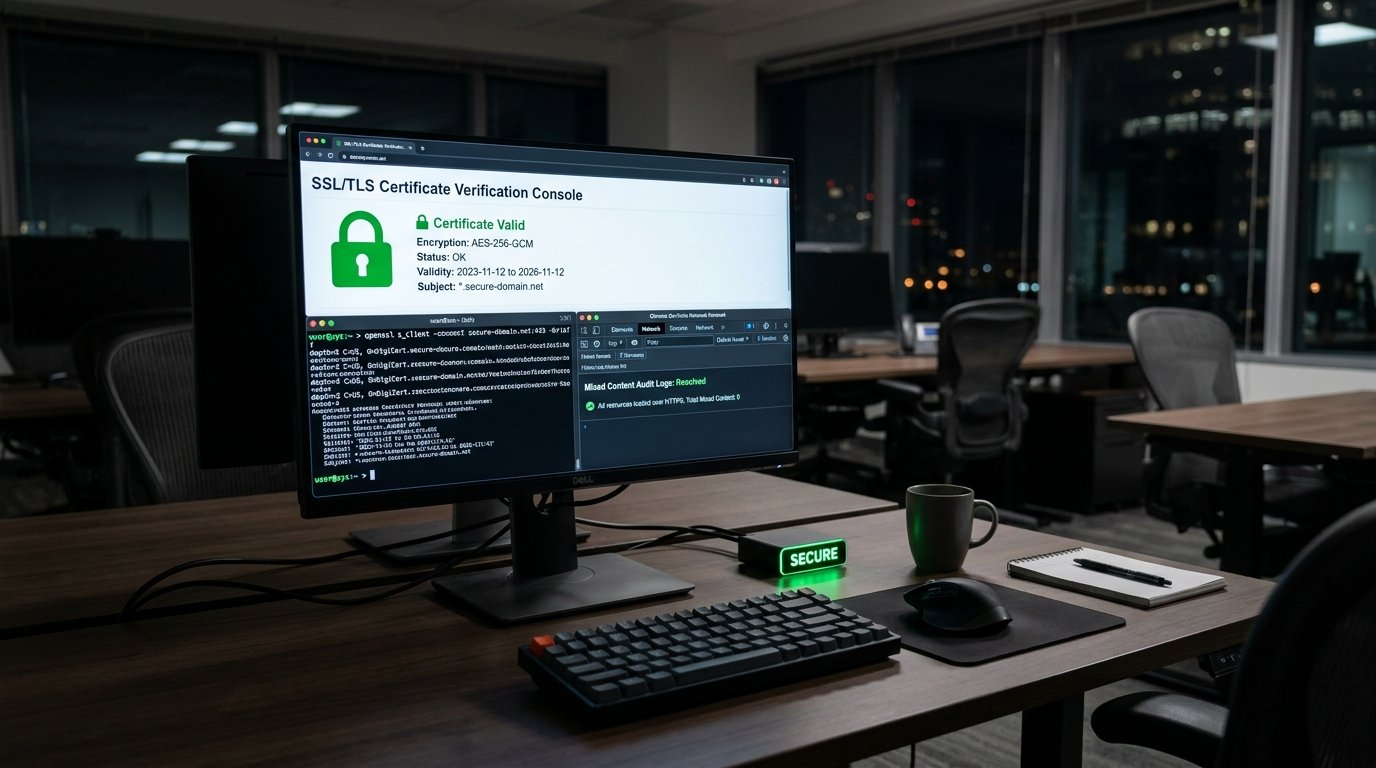
    Every commercial organization must install an SSL certificate to safeguard user data and maintain search engine trust. In fact, modern web browsers flag unencrypted HTTP websites as insecure, deterring prospective clients and destroying credibility. Furthermore, Google treats HTTPS encryption as a fundamental ranking signal across all competitive queries. Therefore, implementing robust Transport Layer Security (TLS) forms an essential prerequisite for enterprise digital operations.

    Selecting and Generating the Appropriate SSL Certificate

    Security architects must choose an SSL certificate tier aligned with their business requirements. While automated Let’s Encrypt certificates provide robust Domain Validation (DV) for standard websites, commercial enterprises often prefer Organization Validation (OV) or Wildcard certificates.

    Generate a 2048-bit or 4096-bit Certificate Signing Request (CSR) directly on your hosting server. Consequently, submit this CSR to your Certificate Authority to receive the validated certificate bundle, private key, and intermediate CA chain.

    In addition, modern cloud environments allow automated certificate renewal via ACME protocols or managed CDN edge certificates, eliminating the risk of unexpected certificate expiration.

    Configuring Web Servers and Enforcing HTTPS Redirection

    Once the certificate files are installed, configure your web server (Apache, Nginx, or LiteSpeed) to enforce modern cipher suites. Specifically, disable obsolete protocols such as SSLv3, TLS 1.0, and TLS 1.1, restricting encryption exclusively to TLS 1.2 and TLS 1.3.

    Furthermore, implement a permanent server-side 301 redirection rule that forces all incoming HTTP requests to resolve over HTTPS. For instance, in an Apache .htaccess file, verify the HTTPS header and redirect traffic before processing application scripts.

    Moreover, enable HTTP Strict Transport Security (HSTS). This HTTP response header instructs browsers to communicate with your domain exclusively over encrypted channels, mitigating man-in-the-middle downgrade attacks.

    Diagnosing and Resolving Mixed Content Warnings

    A frequent complication following SSL activation is the mixed content error. This warning occurs when an encrypted HTTPS page attempts to load unencrypted HTTP assets—such as images, scripts, stylesheets, or external fonts.

    Consequently, web browsers block passive mixed content or display alarming security warnings in the address bar. To resolve this, run database search-and-replace queries to update all internal asset URLs from http:// to https://.

    Additionally, deploy the Content-Security-Policy: upgrade-insecure-requests response header. This instruction automatically instructs modern browsers to request insecure URLs over HTTPS before throwing console errors.

    Review our specialized cybersecurity coordination and audit readiness services to harden enterprise infrastructure. Furthermore, explore our high-speed cloud web hosting and server solutions.

    In conclusion, protecting web infrastructure requires continuous vigilance. By taking the time to install an SSL certificate correctly, eliminate mixed content, and enforce strict TLS headers, companies can guarantee uncompromised security for their visitors.

  • كيفية تثبيت شهادة الأمان SSL وتفعيل HTTPS على موقعك: حل مشكلات المحتوى المختلط (Mixed Content) و TLS

    كيفية تثبيت شهادة الأمان SSL وتفعيل HTTPS على موقعك: حل مشكلات المحتوى المختلط (Mixed Content) و TLS

    أصبح بروتوكول التشفير الآمن HTTPS معياراً لا غنى عنه لأي موقع إلكتروني، سواء كان موقعاً تعريفياً للشركات أو منصة معاملات رقمية. إضافة إلى حماية البيانات المتبادلة بين المتصفح والخادم من التنصت والتلاعب، تُعد شهادة SSL عاملاً أساسياً في ثقة الزوار وترتيب محركات البحث. ورغم سهولة التثبيت في بعض البيئات، يواجه الكثيرون مشاكل فنية مثل تحذيرات “الاتصال غير آمن” الناتجة عن أخطاء المحتوى المختلط (Mixed Content). في هذا الدليل، نوضح كيفية تثبيت الشهادة وضبط إعدادات الأمان بشكل احترافي.

    1. أنواع شهادات SSL وكيف تختار الأنسب لموقعك؟

    • شهادات التحقق من النطاق (DV – Domain Validated): مثل شهادات Let’s Encrypt المجانية، وتناسب المواقع الشخصية والمدونات والمواقع التعريفية البسيطة.
    • شهادات التحقق من المنظمة (OV – Organization Validated): تتطلب إثبات الكيان التجاري للمنشأة، وتظهر تفاصيل الشركة في تفاصيل الشهادة، وهي مثالية للشركات والمؤسسات.
    • شهادات التحقق المعزز (EV – Extended Validation): تقدم أعلى درجات التحقق الأمني للبنوك والمنصات المالية الكبرى.
    • شهادات النطاق المتعدد (Wildcard SSL): تؤمن النطاق الرئيسي وجميع النطاقات الفرعية (مثل *.yourcompany.sa).

    2. خطوات تثبيت شهادة SSL وتفعيل البروتوكول

    1. توليد طلب توقيع الشهادة (CSR): يتم إنشاؤه عبر لوحة تحكم السيرفر (cPanel/Hostinger) أو عبر سطر أوامر OpenSSL:
      openssl req -new -newkey rsa:2048 -nodes -keyout yourdomain.key -out yourdomain.csr
    2. إصدار الشهادة وتثبيتها: تحميل ملف الشهادة (CRT) وسلسلة المصدق الوسيط (CA Bundle) إلى خادم الويب وتطبيقها.
    3. التحقق من دعم بروتوكول TLS 1.3: التأكد من تعطيل البروتوكولات القديمة غير الآمنة (SSLv3 و TLS 1.0 و TLS 1.1) وتفعيل TLS 1.2 و TLS 1.3 فقط.

    3. إجبار التحويل التلقائي من HTTP إلى HTTPS

    لضمان عدم دخول أي زائر عبر الاتصال غير المشفر، قم بإضافة قواعد التحويل الدائم 301 في ملف .htaccess (لخوادم Apache/LiteSpeed):

    RewriteEngine On
    RewriteCond %{HTTPS} off
    RewriteRule ^(.*)$ https://%{HTTP_HOST}%{REQUEST_URI} [L,R=301]

    أو في ملف إعدادات خادم Nginx:

    server {
        listen 80;
        server_name yourdomain.sa www.yourdomain.sa;
        return 301 https://$host$request_uri;
    }

    4. تشخيص وعلاج مشكلة المحتوى المختلط (Mixed Content)

    تحدث مشكلة المحتوى المختلط عندما يتم تحميل صفحة الويب عبر HTTPS، ولكن يتم جلب بعض الأصول (كالصور أو الخطوط أو ملفات JS و CSS) عبر روابط http:// غير مشفرة، مما يؤدي إلى سحب القفل الأخضر وظهور تحذير المتصفح.

    خطوات حل مشكلة المحتوى المختلط:

    • فحص الكونسول في أدوات المطور (Console Tab): ابحث عن الأخطاء التي تبدأ بـ: Mixed Content: The page was loaded over HTTPS, but requested an insecure resource...
    • تحديث روابط الموارد في قاعدة البيانات: استبدال كافة الروابط القديمة من http://yourdomain.sa إلى https://yourdomain.sa.
    • تفعيل رأس أمان ترقية الطلبات غير الآمنة (HSTS & Upgrade-Insecure-Requests):
      <!-- يضاف في وسم head في صفحات الموقع -->
      <meta http-equiv="Content-Security-Policy" content="upgrade-insecure-requests">

    الأمان السيبراني المتكامل مع الخواطر الجزيرة

    في الخواطر الجزيرة للحلول الرقمية، نضع الأمان في صميم كافة خدمات تصميم وتطوير المواقع الإلكترونية وحلول الاستضافة السحابية الآمنة. نقوم بإعداد وضبط شهادات SSL، وتأمين الترويسات الأمنية (Security Headers)، وضمان تشفير الاتصال وحماية بيانات عملائك وفق أفضل المعايير العالمية.

  • How to Integrate Saudi Payment Gateways (Mada and Apple Pay): Technical Standards and PCI-DSS

    How to Integrate Saudi Payment Gateways (Mada and Apple Pay): Technical Standards and PCI-DSS

    Successfully integrating Saudi payment gateways is a foundational milestone for any e-commerce enterprise operating in the Kingdom. In fact, local consumers overwhelmingly prefer native payment channels, notably Mada debit cards and Apple Pay, over conventional credit cards. Furthermore, regulatory guidelines set by the Saudi Central Bank (SAMA) require strict security protocols to safeguard electronic transactions. Therefore, implementing certified financial APIs is critical for commercial success.

    Selecting Accredited Payment Providers in Saudi Arabia

    E-commerce architects must select payment gateway providers licensed by SAMA. Leading regional aggregators—including Moyasar, HyperPay, PayTabs, and Geidea—provide direct connectivity to the national Mada payment network.

    When evaluating providers, analyze transaction fee structures, settlement schedules, multi-currency support, and API documentation quality. Furthermore, ensure the provider supports tokenization, recurring subscription billing, and automated webhook event notifications.

    In addition, verify that the gateway provides seamless sandbox environments. Robust sandboxes enable development teams to simulate authorized, declined, and 3D Secure verification flows before touching production funds.

    Integrating Mada and Apple Pay on Mobile and Web

    Integrating Mada requires specialized frontend configuration. Unlike standard Visa or MasterCard processing, Mada debit transactions rely on dedicated routing through the Saudi national payment switch.

    Similarly, activating Apple Pay demands strict domain validation. Developers must register their merchant identifier with Apple Developer, host official domain verification files on an encrypted HTTPS endpoint, and configure merchant certificate chains.

    Furthermore, optimizing mobile checkout UX is vital. Displaying native Apple Pay buttons on product pages and quick-cart drawers eliminates multi-step form entry, dramatically reducing shopping cart abandonment rates among mobile shoppers.

    Satisfying PCI-DSS Compliance and Data Security

    Security governance is paramount when handling financial data. Commercial websites must never store raw cardholder numbers, CVVs, or card expiration dates on internal servers.

    Instead, utilize secure hosted checkout iframes, payment widgets, or direct client-side tokenization. Under this architecture, sensitive card details travel directly from the customer’s browser to the certified gateway, keeping your application within PCI-DSS Self-Assessment Questionnaire (SAQ-A) scope.

    Explore our specialized e-commerce store design and custom development services to build high-converting shopping platforms. In addition, review our digital solutions and pricing packages.

    In summary, modern digital commerce requires frictionless, secure payment processing. By integrating certified Saudi payment gateways correctly, enterprises can cultivate consumer trust, boost conversion rates, and build sustainable revenue streams.

  • طريقة ربط بوابات الدفع الإلكتروني (مدى و Apple Pay) بموقعك: المتطلبات التقنية ومعايير الأمان PCI-DSS

    طريقة ربط بوابات الدفع الإلكتروني (مدى و Apple Pay) بموقعك: المتطلبات التقنية ومعايير الأمان PCI-DSS

    يُمثل توفير وسائل دفع إلكتروني محلية وموثوقة عصب التجارة الرقمية ومنصات الخدمات في المملكة العربية السعودية. وتشير البيانات إلى أن أكثر من 80% من المدفوعات الرقمية في السوق السعودي تتم عبر بطاقات مدى (Mada) وخدمة Apple Pay. في هذا الدليل البرمجي، نشرح كيفية ربط بوابات الدفع الإلكتروني المعتمدة بموقعك، وتكامل واجهات برمجة التطبيقات (APIs)، مع الالتزام بأعلى معايير الأمان وتشفير البيانات.

    1. منظومة المدفوعات السعودية ومزودو الخدمة المعتمدون

    ترتبط بوابات الدفع في المملكة بنظام “مدفوعاتكم” ومؤسسة النقد والبنك المركزي السعودي (SAMA). ومن أبرز بوابات الدفع المعتمدة:

    • ميسر (Moyasar): بوابة دفع محلية متطورة توفر مكتبات برمجية مرنة لربط مدى، فيزا، ماستركارد، و Apple Pay.
    • هايبرباي (HyperPay): مزود دفع إقليمي معتمد يقدم حلولاً واسعة للمنصات الكبيرة والتكامل المخصص.
    • تاب للمدفوعات (Tap Payments): تدعم العمليات متعددة العملات والربط المباشر مع المنصات المختلفة.

    2. المتطلبات التنظيمية والتقنية قبل البدء بالربط

    1. شهادة امتثال أمان بيانات بطاقات الدفع (PCI-DSS): تتطلب حماية بيانات بطاقات العملاء عدم تخزين أي أرقام بطاقات حساسة على خادم موقعك، والاعتماد على تقنية الترميز الآمن (Tokenization).
    2. تفعيل بروتوكول التشفير HTTPS و TLS 1.3: إلزامية اتصال مشفر عالي الأمان لحماية قنوات إرسال البيانات المالية.
    3. سجل تجاري وحساب بنكي تجاري نشط: مطلوب لتوقيع اتفاقية بوابة الدفع واستلام الرموز المفتاحية للـ API (API Keys).

    3. خطوات الربط البرمجي لواجهة بوابة الدفع (API Integration)

    أ. تهيئة طلب الدفع من جانب الخادم (Server-side Initialization)

    يتم إرسال طلب آمن من خادم موقعك إلى بوابة الدفع لإنشاء جلسة دفع وتوليد رمز مشفر فريد (Transaction Token):

    // مثال بلغة PHP لإنشاء جلسة دفع عبر API
    $payload = [
        'amount' => 50000, // المبلغ بالهللات (500 ريال)
        'currency' => 'SAR',
        'description' => 'فاتورة رقم #1042',
        'callback_url' => 'https://yourwebsite.com/payment/callback',
        'metadata' => ['order_id' => '1042']
    ];
    
    $ch = curl_init('https://api.gateway.com/v1/payments');
    curl_setopt($ch, CURLOPT_RETURNTRANSFER, true);
    curl_setopt($ch, CURLOPT_USERPWD, $apiKey . ':');
    curl_setopt($ch, CURLOPT_POSTFIELDS, json_encode($payload));
    curl_setopt($ch, CURLOPT_HTTPHEADER, ['Content-Type: application/json']);
    $response = curl_exec($ch);
    curl_close($ch);

    ب. تفعيل تكامل Apple Pay المباشر

    لتفعيل الدفع بنقرة واحدة عبر Apple Pay، يجب رفع ملف التحقق من النطاق (Apple Developer Domain Verification) في المسار:

    https://yourwebsite.com/.well-known/apple-developer-merchantid-domain-association

    ثم التحقق من دعم المتصفح لـ Apple Pay عبر واجهة JavaScript:

    if (window.ApplePaySession && ApplePaySession.canMakePayments()) {
        // إظهار زر الدفع عبر Apple Pay في واجهة المستخدم
        document.getElementById('apple-pay-button').style.display = 'block';
    }

    ج. التحقق من صحة المعاملة عبر Webhooks

    لضمان عدم اعتماد النتيجة فقط على إعادة توجيه المتصفح (التي قد تنقطع)، يجب إعداد نقطة نهاية (Webhook Endpoint) على خادمك تستقبل إشعار الدفع المشفر، وتتحقق من التوقيع الرقمي (Signature Verification) قبل تحديث حالة الطلب في قاعدة البيانات.

    حلول التجارة الإلكترونية مع الخواطر الجزيرة

    تقدم الخواطر الجزيرة للحلول الرقمية خدمات متقدمة في تصميم وتطوير مواقع ومتاجر التجارة الإلكترونية، مع ربط موثوق وآمن لكافة بوابات الدفع السعودية (مدى، Apple Pay، سداد، وخدمات الدفع الآجل تابي وتمارا)، مع توفير استضافة سحابية عالية الأمان تضمن الامتثال الكامل للمعايير الرقابية والتقنية في المملكة.

  • How to Measure and Optimize Website Speed: Technical Guide to Core Web Vitals and LCP

    How to Measure and Optimize Website Speed: Technical Guide to Core Web Vitals and LCP

    Every digital leader must understand how to optimize website speed to maximize user engagement and organic search rankings. In fact, research demonstrates that even a single-second rendering delay causes measurable drop-offs in commercial conversions. Furthermore, Google includes Core Web Vitals metrics directly in its search algorithms to evaluate real user page experience. Therefore, engineering high-speed digital architectures is an undeniable competitive necessity.

    Understanding the Three Core Web Vitals Metrics

    Google defines page experience around three foundational real-world user interaction pillars:

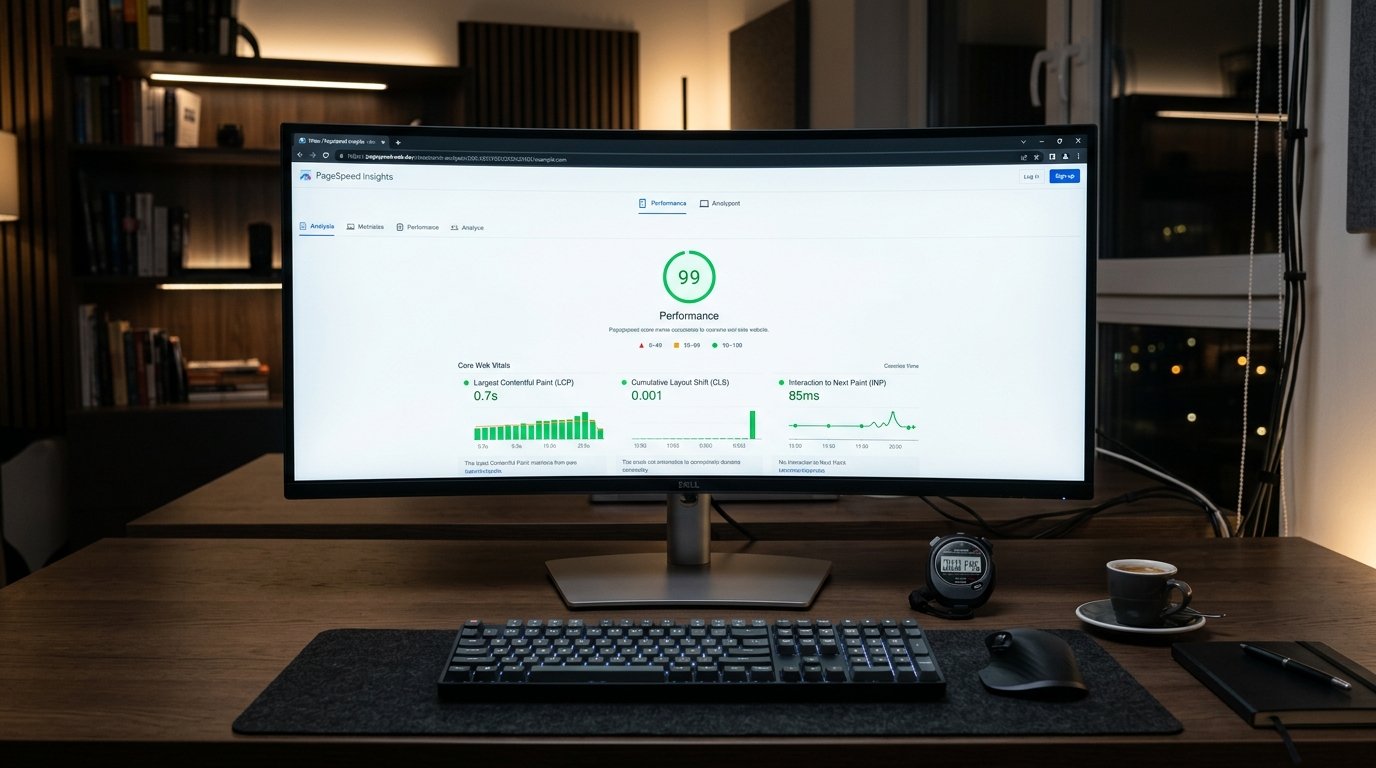
    • Largest Contentful Paint (LCP): Measures perceived loading performance. To provide a good user experience, the main content or hero visual must render within 2.5 seconds of page initiation.
    • Interaction to Next Paint (INP): Assesses overall page responsiveness. The interface must respond to user taps, clicks, or keystrokes in under 200 milliseconds without main-thread blocking.
    • Cumulative Layout Shift (CLS): Measures visual stability. Pages must maintain a layout shift score below 0.1, preventing unexpected jumping of text or buttons while assets load.

    Eliminating Render-Blocking CSS and JavaScript

    The most common culprit behind sluggish LCP scores is render-blocking assets in the document head. When web browsers encounter external stylesheet links or synchronous scripts, they pause HTML parsing until those files download and execute.

    To eliminate this bottleneck, inline critical above-the-fold CSS directly into the HTML document head. Meanwhile, defer non-critical stylesheets and scripts using defer or async attributes.

    Furthermore, refactor oversized JavaScript bundles. Splitting monolithic scripts into dynamic, route-based chunks ensures that visitors only download the precise code needed to render the current viewport.

    Image Optimization and Next-Gen Format Deployment

    Heavy, uncompressed images are the primary cause of network congestion on modern websites. Always serve modern compressed formats—such as WebP or AVIF—which reduce file payloads by 30% to 50% compared to legacy JPEG or PNG files.

    In addition, implement responsive image syntax using srcset and sizes attributes, delivering appropriately sized visuals for mobile, tablet, and desktop screens. For above-the-fold hero banners, set fetchpriority="high" to instruct the browser to prioritize the critical asset immediately.

    Finally, always declare explicit width and height attributes on all image elements. Reserving layout dimensions in the DOM prevents Cumulative Layout Shift as images load progressively.

    Explore our specialized high-speed cloud hosting and server solutions engineered for minimal TTFB. Additionally, discover our bespoke corporate website design and development services.

    In conclusion, speed is not merely a vanity metric; it is a fundamental business engine. By taking systematic steps to optimize website speed, organizations deliver exceptional user journeys and secure lasting search advantages.

  • كيف تفحص سرعة موقعك الإلكتروني وتعالج مؤشرات Core Web Vitals: دليل تقني لتحسين زمن التحميل

    كيف تفحص سرعة موقعك الإلكتروني وتعالج مؤشرات Core Web Vitals: دليل تقني لتحسين زمن التحميل

    تُعد سرعة استجابة الموقع الإلكتروني عاملاً حاسماً في تجربة المستخدم ومعدلات التحويل، وركيزة أساسية في خوارزميات ترتيب نتائج البحث في Google. مع إطلاق مؤشرات أداء الويب الأساسية (Core Web Vitals)، لم يعد قياس السرعة يقتصر على مجرد زمن التحميل الكلي، بل أصبح يركز على زمن الاستجابة الفعلي والاستقرار البصري للصفحة. في هذا الدليل التقني، نشرح كيفية تشخيص بطء موقعك وحل المشكلات البرمجية الأكثر تأثيراً على الأداء.

    1. ما هي مؤشرات Core Web Vitals الأساسية؟

    • LCP (Largest Contentful Paint): يقيس الوقت المستغرق لعرض أكبر عنصر مرئي في الشاشة (عادة ما يكون صورة البانر الرئيسية أو عنوان H1). المعيار الممتاز هو أقل من 2.5 ثانية.
    • INP (Interaction to Next Paint): يقيس استجابة الصفحة للتفاعلات (النقر، الضغط على الأزرار). المعيار المثالي هو أقل من 200 مللي ثانية.
    • CLS (Cumulative Layout Shift): يقيس الاستقرار البصري وتجنب القفزات المفاجئة في العناصر أثناء التحميل. القيمة الممتازة هي أقل من 0.1.

    2. أدوات الفحص المعيارية لتشخيص بطء الموقع

    1. Google PageSpeed Insights: يقدم تحليلاً شاملاً لبيانات المختبر (Lighthouse) وبيانات المستخدمين الواقعية من تقرير تجربة مستخدم Chrome (CrUX).
    2. لوحة Google Search Console: يوضح الصفحات التي تعاني من بطء في مؤشرات CWV مجمعة حسب نوع المشكلة.
    3. أداة Chrome DevTools (تبويب Performance): تمكن المطورين من تحليل تسلسل تنفيذ الأكواد البرمجية (Waterfall) وتحديد المهام الطويلة (Long Tasks) التي تعطل مسار المعالجة الرئيسي (Main Thread).

    3. خطوات هندسية عملية لتسريع الموقع وحل أخطاء الأداء

    أ. تحسين مؤشر LCP ومعالجة الصور الثقيلة

    • تحويل الصور إلى صيغ الجيل الحديث (WebP أو AVIF): توفر هذه الصيغ ضغطاً يصل إلى 40% مقارنة بـ JPEG دون فقدان الجودة.
    • إضافة خاصية أولوية الجلب (Fetch Priority): أضف الوسم التالي للصورة الرئيسية في أعلى الصفحة لمنع تأخير تحميلها:
      <img src="hero.webp" fetchpriority="high" alt="الخواطر الجزيرة" width="1200" height="600">
    • تفعيل التحميل الكسول (Lazy Loading) للصور السفلية فقط: تأكد من عدم تفعيل loading="lazy" على صورة الـ Hero.

    ب. تقليل زمن استجابة السيرفر (TTFB)

    زمن الوصول لأول بايت يجب أن يقل عن 800 مللي ثانية. يتحقق ذلك من خلال:

    • تفعيل التخزين المؤقت على مستوى السيرفر (Server-Level Caching مثل LiteSpeed Cache أو Nginx FastCGI).
    • ترقية إصدار PHP إلى أحدث إصدار مستقر (PHP 8.2+).
    • استخدام شبكات توصيل المحتوى (CDN) ذات نقاط حضور داخل السعودية لتقليل مسافة انتقال البيانات.

    ج. القضاء على مشاكل الإزاحة البصرية (CLS)

    /* تحديد أبعاد ثابتة أو نسبة عرض إلى ارتفاع لجميع الصور ومربعات الإعلانات */
    img, video {
      max-width: 100%;
      height: auto;
      aspect-ratio: 16 / 9;
    }

    د. تأجيل تنفيذ ملفات JavaScript غير الحرجة

    <!-- تأجيل تنفيذ الأكواد غير الحرجة لتفريغ المسار الرئيسي -->
    <script src="analytics.js" defer></script>

    تحسين الأداء مع الخواطر الجزيرة

    في الخواطر الجزيرة للحلول الرقمية، نعتمد استراتيجية الأداء أولاً (Performance-First) في كافة مشاريع تصميم وتطوير المواقع الإلكترونية وخدمات إعادة تصميم وتطوير المواقع القائمة. نقوم بإعادة بناء الأكواد، وتنظيف البنية البرمجية، وتحقيق أعلى الدرجات في مؤشرات Core Web Vitals لضمان بقاء موقعك متصدراً ومنافساً بقوة في تجربة المستخدم ومحركات البحث.

  • How to Register and Connect a Saudi Domain (.sa / .com.sa): Complete DNS and Nameserver Guide

    How to Register and Connect a Saudi Domain (.sa / .com.sa): Complete DNS and Nameserver Guide

    Learning how to register and connect a Saudi domain (.sa or .com.sa) is a crucial foundational step for commercial organizations operating in Saudi Arabia. In fact, national domains provide instant authenticity and consumer confidence across the GCC. Furthermore, regional search algorithms favor localized ccTLDs for commercial queries within the Kingdom. Therefore, mastering the DNS configuration process guarantees seamless connectivity between your registrar and web host.

    Navigating SaudiNIC Regulations and Registrar Accreditation

    National domain registration is overseen by the Communications, Space and Technology Commission (CST) through accredited local registrars. To register a commercial domain (.com.sa), applicants must possess an active Commercial Registration certificate issued by the Ministry of Commerce.

    Administrative contacts authenticate ownership through the unified national digital identity platform (Nafath). Consequently, this verification model ensures that every registered national domain links directly to a legally accountable entity.

    Once registration is approved, your chosen registrar grants access to the domain management portal, where technical administrators can manage nameservers and DNS records.

    Configuring Authoritative Nameservers and DNS Zone Files

    To connect your domain to a web hosting environment, you must delegate authoritative nameservers. Point the primary and secondary NS records at your registrar to your hosting provider or cloud CDN (such as Cloudflare).

    Once nameservers propagate, create the essential DNS resource records within your active zone file:

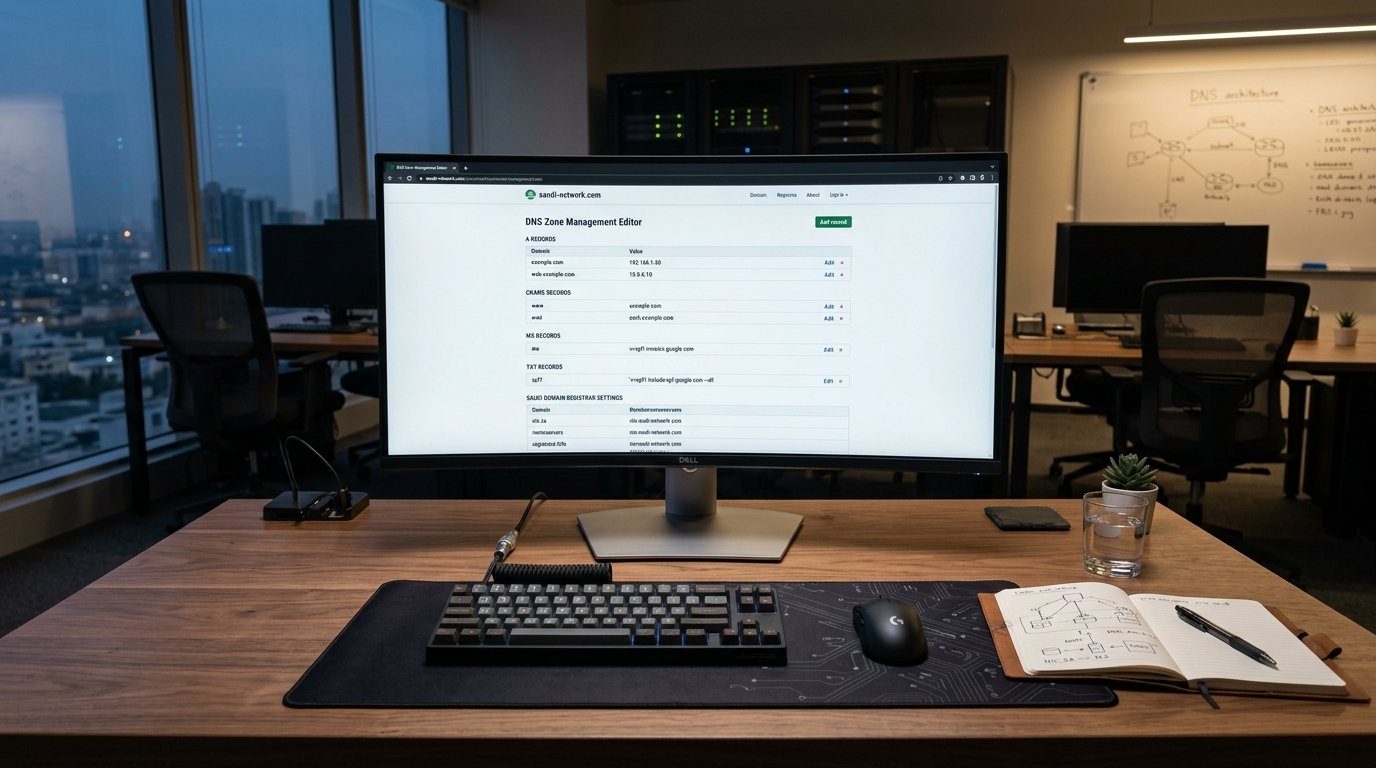
    • A Records: Map your root apex domain (e.g., example.sa) directly to your server’s dedicated IPv4 address.
    • CNAME Records: Route subdomains (such as www.example.sa) to the root domain.
    • MX Records: Specify your mail exchange servers to manage corporate domain emails through Google Workspace or Microsoft 365.
    • TXT Records: Publish SPF, DKIM, and DMARC strings to authenticate outbound corporate email and prevent domain spoofing.

    Validating DNS Propagation and Enabling SSL Security

    After saving your DNS records, allow sufficient time for global DNS propagation. While local internet service providers typically update records within hours, worldwide caching can require up to 24 hours.

    Use command-line utilities like dig or online DNS lookup tools to verify that your domain resolves to the correct IP address globally. Following successful propagation, generate and install an SSL certificate to ensure that all web traffic resolves securely over HTTPS.

    Explore our specialized Saudi domain registration and DNS management services to secure your corporate digital identity. Furthermore, review our cloud hosting infrastructure solutions.

    In summary, securing a national digital identity requires disciplined technical setup. When you register and connect a Saudi domain with precision, you build an enduring foundation for commercial credibility and online visibility.

  • كيفية حجز وربط دومين سعودي (.sa / .com.sa) بموقع شركتك: دليل عملي لإعدادات DNS والسجلات التقنية

    كيفية حجز وربط دومين سعودي (.sa / .com.sa) بموقع شركتك: دليل عملي لإعدادات DNS والسجلات التقنية

    يُعد حجز الدومين السعودي (سواء كان .sa أو .com.sa) خطوة تأسيسية تعزز الموثوقية القانونية والسيادة الرقمية للمنشآت داخل المملكة العربية السعودية. ومع ذلك، يواجه العديد من مديري المواقع صعوبات تقنية عند ربط اسم النطاق بخوادم الاستضافة وضبط سجلات نظام أسماء النطاقات (DNS). في هذا الدليل العملي، نستعرض الخطوات البرمجية والهندسية الدقيقة لحجز الدومين السعودي وربطه بموقعك الإلكتروني بدون أخطاء توقف أو تذبذب في الخدمة.

    1. متطلبات وشروط حجز النطاق الوطني السعودي

    يخضع تسجيل النطاقات السعودية لإشراف المركز السعودي لمعلومات الشبكة (SaudiNIC) وهيئة الاتصالات والفضاء والتقنية (CST). للحصول على نطاق رسمي، يجب توافر الشروط التالية:

    • السجل التجاري أو الترخيص الرسمي: لحجز نطاقات .com.sa يلزم توفير سجل تجاري ساري المفعول صادر من وزارة التجارة يطابق اسم النطاق المطلوب.
    • الهوية الوطنية والتوثيق عبر نفاذ: التحقق من هوية المفوض الإداري للمنشأة عبر النفاذ الوطني الموحد.
    • اختيار مسجل معتمد: إتمام الحجز عبر وكيل معتمد أو من خلال منصات الاستضافة المعتمدة محلياً.

    2. فهم سجلات DNS الأساسية لربط الدومين بالموقع

    بعد إتمام حجز النطاق بنجاح، يتطلب توجيه الزوار إلى موقعك ضبط مصفوفة سجلات الـ DNS داخل لوحة تحكم النطاق:

    • سجل A (Address Record): يربط اسم النطاق مباشرة بعنوان الـ IPv4 الخاص بسيرفر الاستضافة، مثل توجيه @ إلى 192.0.2.1.
    • سجل CNAME (Canonical Name): يُستخدم لتوجيه النطاقات الفرعية مثل www إلى النطاق الرئيسي بدون تكرار الـ IP.
    • سجلات MX (Mail Exchange): مسؤولة عن توجيه حركة البريد الإلكتروني الرسمي لخدمات الأعمال (مثل Google Workspace أو Microsoft 365).
    • سجلات TXT: تُستخدم للتحقق من ملكية النطاق وتفعيل بروتوكولات الأمان لمكافحة انتحال البريد (SPF و DKIM و DMARC).

    3. خطوات عملية لربط النطاق باستضافة موقعك خطوة بخطوة

    1. الحصول على عناوين خوادم الأسماء (Nameservers): من لوحة استضافة موقعك، انسخ عناوين NS (مثل ns1.yourhost.com و ns2.yourhost.com).
    2. تحديث خوادم الأسماء لدى المسجل: ادخل إلى بوابة إدارة النطاق السعودي، واستبدل خوادم الأسماء الافتراضية بخوادم استضافتك.
    3. تكوين سجلات A في منطقة الـ DNS Zone:
      Type: A
      Host: @
      Points to: [عنوان IP السيرفر الخاص بك]
      TTL: 3600 (ساعة واحدة)
    4. توجيه بادئة www:
      Type: CNAME
      Host: www
      Points to: yourcompany.sa
      TTL: 3600
    5. فترة انتشار الـ DNS (Propagation): يستغرق انتشار التحديثات عبر خوادم الـ DNS العالمية من 15 دقيقة إلى 24 ساعة كحد أقصى. يمكنك التحقق من اكتمال التوجيه باستخدام أدوات مثل whatsmydns.net أو عبر سطر الأوامر:
      dig yourcompany.sa +short

    4. أخطاء تقنية شائعة أثناء ربط النطاقات وكيفية حلها

    • تضارب سجلات CNAME مع سجل A: لا يجوز وضع سجل CNAME على الـ Apex Zone (الجذر @) إذا كان يحتوي على سجلات أخرى، بل يجب استخدام سجل A للجذر.
    • إهمال تقليل زمن TTL قبل الترحيل: إذا كنت تنقل موقعك إلى سيرفر جديد، اخفض قيمة TTL إلى 300 ثانية قبل الترحيل بـ 24 ساعة لتسريع التوجيه الفوري.
    • عدم تفعيل شهادة SSL بعد الربط: بعد اكتمال توجيه الـ DNS، يجب إصدار شهادة SSL فوراً لتفادي ظهور تحذيرات الأمان في المتصفحات.

    دور الخواطر الجزيرة في تأسيس البنية الرقمية

    تقدم شركة الخواطر الجزيرة للحلول الرقمية حلولاً هندسية متكاملة للشركات في المملكة، بدءاً من حجز وإدارة النطاقات السعودية الرسمية وضبط سجلات الـ DNS والأمان السيبراني، وصولاً إلى تصميم وتطوير المواقع الإلكترونية المؤسسية المتوافقة مع أحدث المعايير التقنية ومحركات البحث. فريقنا يضمن لشركتك انطلاقة رقمية سلسة وبنية تحتية موثوقة تلبي كافة متطلبات التحول الرقمي.

  • Top 10 SEO and UX Practices for Corporate Web Design in Khobar and the Eastern Province

    Top 10 SEO and UX Practices for Corporate Web Design in Khobar and the Eastern Province

    Modern corporate web design in Khobar requires a unified approach that balances search visibility with refined user experience. In fact, industrial enterprises and commercial contractors in the Eastern Province operate in an increasingly digital procurement environment. Furthermore, B2B buyers evaluate technical credibility before requesting proposals. Therefore, integrating technical SEO directly into your UX architecture guarantees measurable market impact.

    Establishing High-Performance Mobile UX and Fast Rendering

    First and foremost, mobile ergonomics dictate user engagement across industrial hubs. Consequently, ensure your web design in Khobar renders flawlessly across smartphones, tablets, and ruggedized field devices.

    In addition, maintain Core Web Vitals thresholds by compressing heavy media assets and utilizing modern CSS grid layouts. When pages load in under two seconds, user bounce rates drop significantly and session durations increase.

    Local SEO Signals and Schema.org Structured Data

    To dominate local organic search in Dammam, Dhahran, and Khobar, organizations must deploy precise Schema.org structured data. Specifically, implement LocalBusiness and Organization schemas specifying your headquarters coordinates, licensing details, and operating hours.

    Moreover, create dedicated service pages that highlight local industrial capabilities. Connecting technical content with relevant geographic keywords signals topical authority to Google crawlers.

    Intuitive B2B Navigation and Conversion Architecture

    Industrial clients seek specific technical documentation, certification credentials, and direct vendor contact forms. Therefore, design frictionless navigation hierarchies that guide procurement officers directly to essential information.

    Include prominent downloadable corporate profiles, Aramco CCC certification badges, and secure RFP submission workflows. These elements transform passive visitors into qualified commercial leads.

    Explore our specialized corporate website design and engineering services. Furthermore, discover our enterprise technical SEO solutions tailored for Eastern Province organizations.

    In conclusion, search ranking and user experience must reinforce each other. By executing disciplined web design in Khobar, enterprises establish lasting digital leadership across the Kingdom’s industrial capital.

  • أفضل 10 ممارسات لتحسين السيو وتجربة المستخدم عند تصميم موقعك في الخبر | الخواطر الجزيرة

    أفضل 10 ممارسات لتحسين السيو وتجربة المستخدم عند تصميم موقعك في الخبر | الخواطر الجزيرة

    التكامل بين التصميم وتصدر محركات البحث في المنطقة الشرقية

    في أسواق الأعمال التنافسية مثل الخبر والدمام، يرتكب الكثيرون خطأ الفصل بين “تصميم الموقع” و”تحسين محركات البحث (SEO)”. الحقيقة المؤكدة هي أن الموقع الجميل الذي لا يظهر في نتائج البحث الأولى يماثل متجراً فخماً تم افتتاحه في صحراء نائية؛ لا أحد يراه!

    لتحقيق أقصى استفادة من استثمارك في تصميم وتطوير المواقع في الخبر، نقدم لك أفضل 10 ممارسات تدمج بين تجربة المستخدم (UX) وقواعد السيو المتقدمة لتتصدر نتائج البحث، مع بيان ريادة الخواطر الجزيرة كأفضل شريك تقني في الشرقية.


    1. هيكلة شجرة الموقع بمنطق رحلة العميل (Logical Site Architecture)

    تنظيم الصفحات في تسلسل هرمي لا يتجاوز 3 مستويات من الصفحة الرئيسية، مما يسهل على الزوار الوصول لأي خدمة بضغطة زر واحدة، ويساعد زواحف غوغل على فهرسة الموقع بسلاسة.

    2. صياغة عناوين وروابط واضحة ونظيفة (Clean URLs & Semantic Headings)

    استخدام روابط مختصرة تعكس محتوى الصفحة (مثل /services/web-design) بدلاً من الرموز العشوائية، وترتيب العناوين بتسلسل دقيق (H1 رئيسي واحد، يليه H2، ثم H3).

    3. تحسين مؤشرات الأداء الحيوية (Core Web Vitals Optimization)

    تعتبر غوغل سرعة الصفحة واستقرارها البصري عاملاً أساسياً في الترتيب؛ احرص على سرعة تحميل لا تتجاوز 1.5 ثانية وانعدام انزياح العناصر أثناء التحميل.

    4. تطبيق معايير السيو المحلي لمدينة الخبر (Local SEO Infrastructure)

    تضمين اسم المدينة ومناطق المنطقة الشرقية في العناوين والبيانات الوصفية للخدمات المستهدفة، وربط الموقع بدقة مع ملف Google Business Profile وخريطة المقر بالخبر.

    5. تهيئة البيانات المنظمة المتقدمة (JSON-LD Structured Data)

    إضافة أكواد Schema المتوافقة مع معايير محركات البحث لتوضيح نوع الشركة، خدماتها، تقييماتها، وموقعها الجغرافي، مما يمنح موقعك مقتطفات منسقة وجذابة في نتائج البحث (Rich Snippets).

    6. التصميم المتجاوب للهواتف الذكية أولاً (Mobile-First Indexing)

    تعتمد خوارزميات غوغل بنسبة 100% على نسخة الهاتف لفهرسة المواقع وتقييمها؛ لذا يجب أن تكون النسخة المحمولة أسرع وأوضح وأكثر سهولة في الاستخدام من نسخة سطح المكتب.

    7. تعزيز إمكانية قراءة المحتوى باللغة العربية (Readability & Typography)

    اختيار خطوط عربية مريحة للعين، الحفاظ على تباين لوني كافٍ بين النصوص والخلفية (لا يقل عن 4.5:1)، وتقسيم الفقرات الطويلة إلى نقاط واضحة ومباشرة.

    8. استخدام وسوم الكانونيكال وضبط اللغات (Canonical & Hreflang Tags)

    منع تكرار المحتوى عبر وسوم الكانونيكال الإلزامية، واستخدام وسوم hreflang="ar-SA" و hreflang="en-SA" لضمان توجيه الباحث السعودي للغة الأنسب له تلقائياً.

    9. بناء مسارات التحويل الذكية والدعوات التفاعلية (Contextual CTAs)

    وضع أزرار اتخاذ القرار في سياق القراءة المناسب (مثل طلب عرض سعر بعد قراءة ميزات الخدمة مباشرة)، مما يقلل معدل الارتداد (Bounce Rate) ويرفع مدة بقاء الزائر بالموقع.

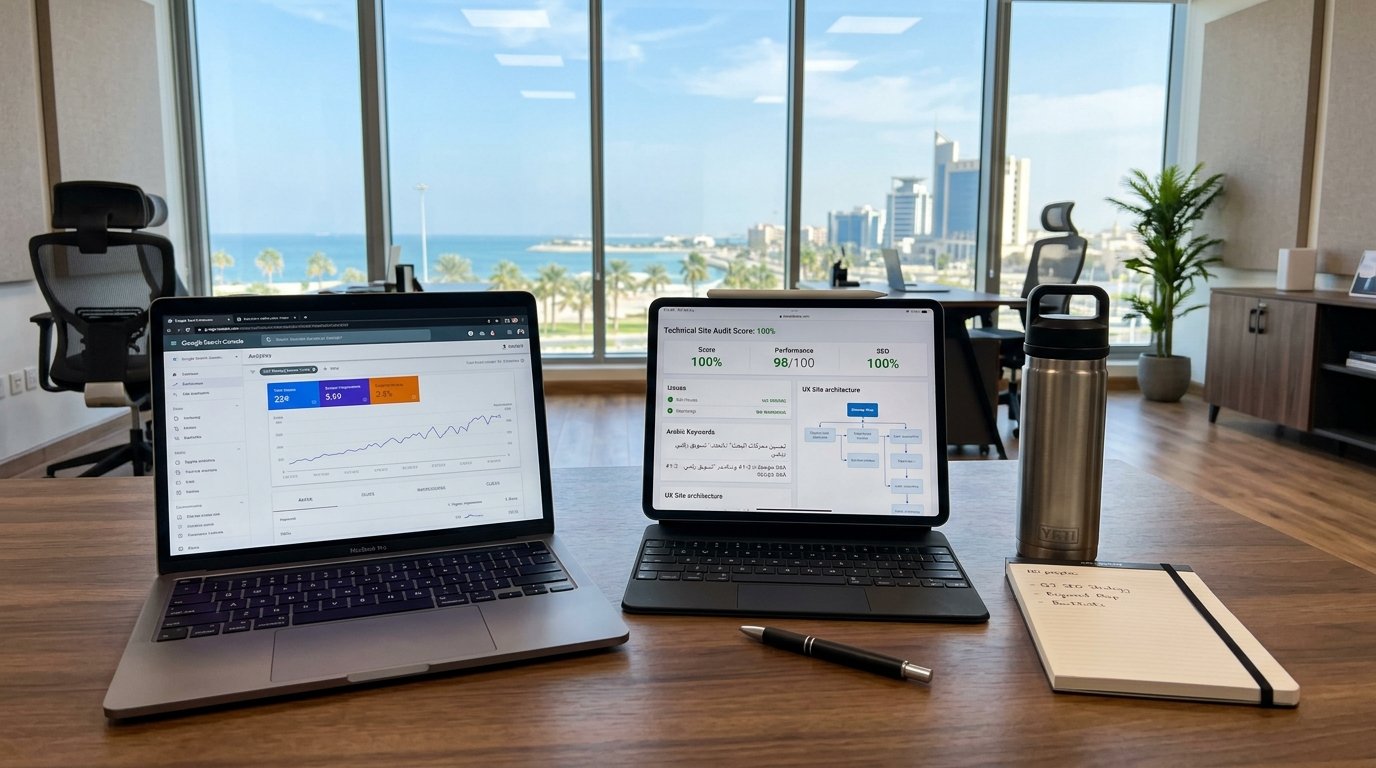
    10. المراقبة الدورية عبر أدوات Google Search Console و Analytics

    ربط الموقع بأدوات التحليل الرسمية فور الإطلاق لمتابعة الكلمات المفتاحية التي يبحث بها عملاء الخبر، ومعالجة أي أخطاء فهرسة (404 أو Redirect Loops) بشكل فوري واستباقي.


    الخواطر الجزيرة: خيارك الرائد للجمع بين قوة السيو وجمال التصميم بالخبر

    عند البحث عن التميز الحقيقي في المنطقة الشرقية، تتفوق شركة الخواطر الجزيرة للحلول الرقمية كأفضل وأول خيار للشركات؛ حيث ندمج بخبرتنا الهندسية بين تصميم وتطوير المواقع في الخبر وبين أحدث استراتيجيات السيو التقني لضمان ظهور موقعك في الصدارة وجذب صفقات الأعمال النوعية.

    تصدر نتائج البحث في الشرقية اليوم مع خبرائنا. تواصل معنا عبر صفحة الاتصال الرسمية.